
Steam now shows how fast thousands of games run on Steam Deck before you buy

Steam now lets you check how fast thousands of games actually run on Steam Deck before buying or installing them. Valve has added average frame rates and distribution charts to game pages, using anonymous data from players who chose to share it.
The numbers appear alongside the existing Steam Deck compatibility rating. They give players another way to judge a game for themselves: a Verified badge does not necessarily mean a game reaches the frame rate every player wants, and an Unsupported rating does not always settle whether a particular player will find it playable.
The feature is already available for thousands of games, Valve says, and the catalogue should grow as more data comes in. It is a useful addition to the compatibility label, with a few limits worth checking before treating the average as a prediction for your own Deck.
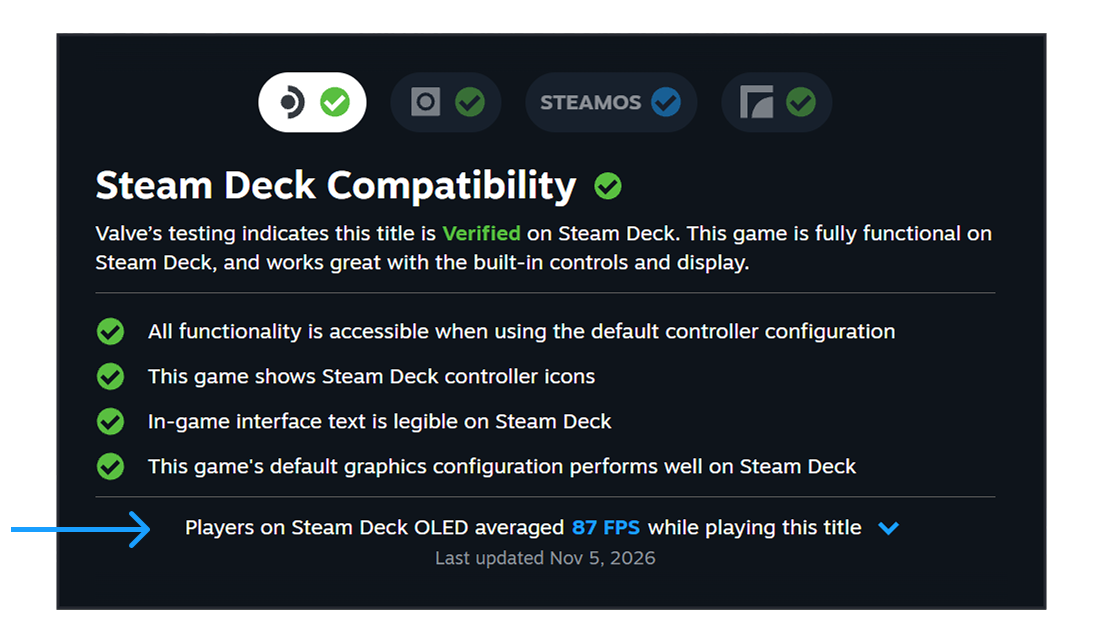
Valve places the average in the Steam Deck compatibility details. Image: Valve
Where to find a game's Steam Deck frame rate
Open a game's Steam store page and look for Steam Deck Compatibility, then select Learn more. Where Valve has enough data, the details include the average frame rate reported by opted-in Deck players. The information is also available in the Steam Library for users of the Steam Client Beta.
The data can appear for games Valve has tested and classified as Verified, Playable or Unsupported. There is a minimum number of anonymous samples before a game gets a result, so a title with few players may not show a figure.
The public view goes beyond an earlier developer-facing Steamworks chart that was limited to Verified games. This time, people browsing the store can use the figures themselves.
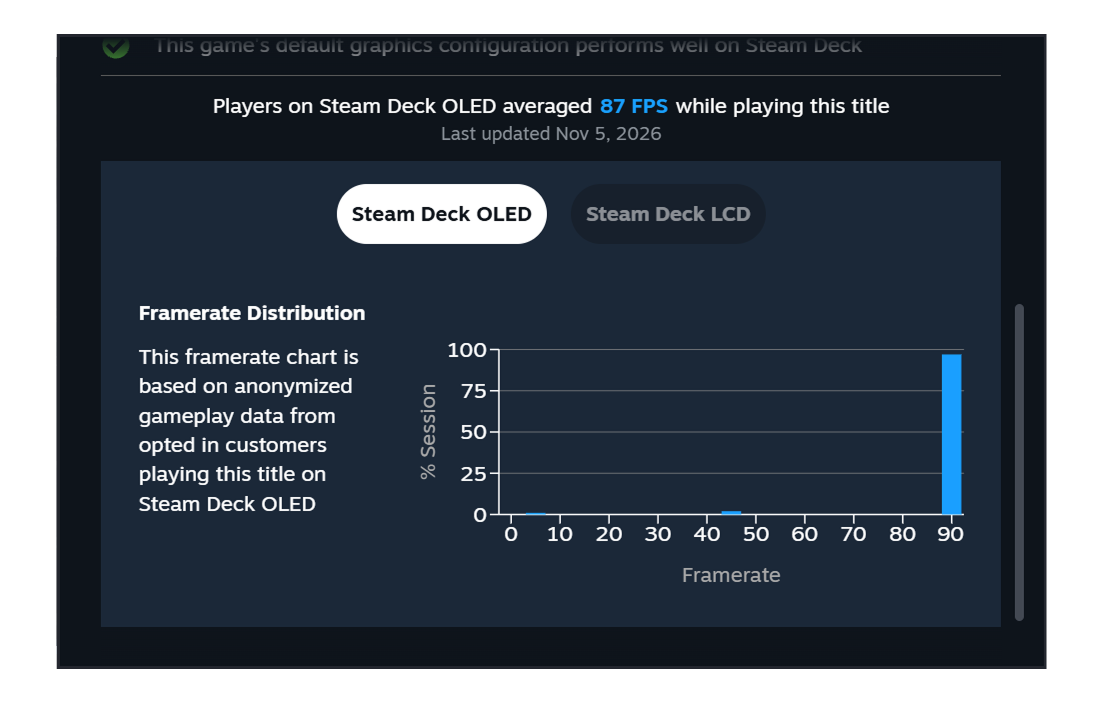
The chart breaks the average into frame-rate ranges and offers separate OLED and LCD views. Image: Valve
The chart can tell you more than the average
Expand the frame-rate details and Steam shows a histogram: bars representing the share of samples at different frame rates. A single average can hide dips, while the distribution gives you a better sense of how the data is spread. Valve says lower-frame-rate columns can also reveal hitches or stuttering.
There are important qualifications. Valve says it filters the data to Decks using their default frame limits: 90 fps on the OLED model and 60 fps on the LCD. It does not account for custom graphics settings inside each game. Your own settings, location in a game and performance preferences can produce a different result.
Valve also notes that display synchronisation can create gaps in a chart. On a 90Hz display, for example, a game that cannot consistently hit 90 fps may show data around 90 and 45 fps. An average between those numbers does not mean every scene ran at that exact rate.
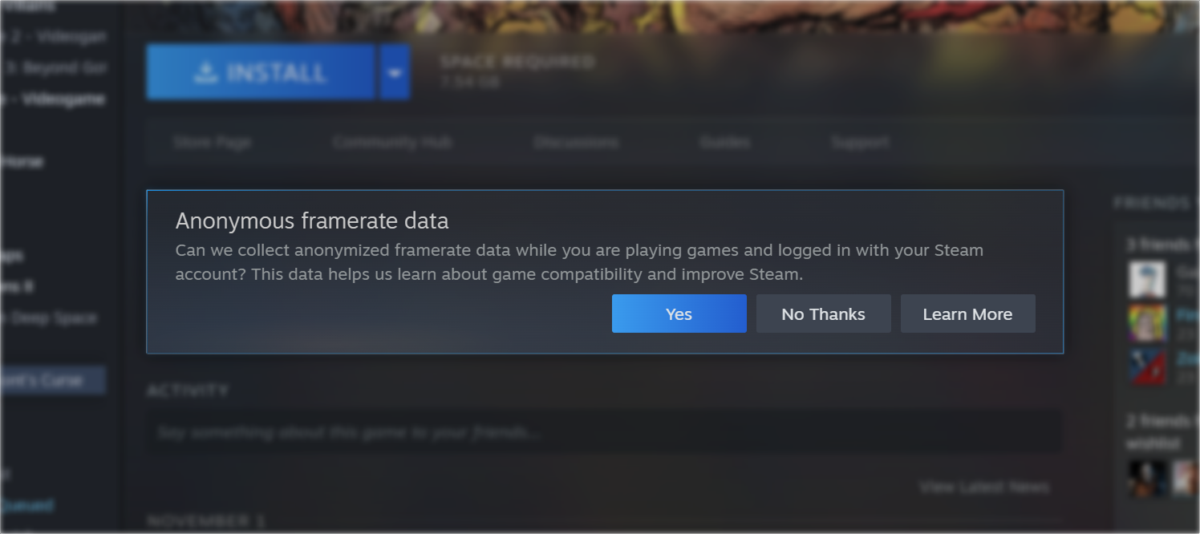
Players can choose whether to provide anonymous frame-rate data. Image: Valve
Valve wants to bring similar data to more devices
Steam Deck is the starting point because its hardware is easier to compare than a broad range of PC configurations. Valve says it sees the feature as a step towards frame-rate data for more devices, but it has not given a date for that expansion.
The desktop Steam Client Beta is now prompting players to opt in to anonymous frame-rate collection, with a wider rollout planned. You can also change the choice in Steam account settings under Data & Browsing. Sharing is optional; the charts show a combined picture rather than a guarantee for an individual PC.

