
An unofficial plugin streams Ray-Ban Meta Gen 2 into OBS, and your PC becomes their owner
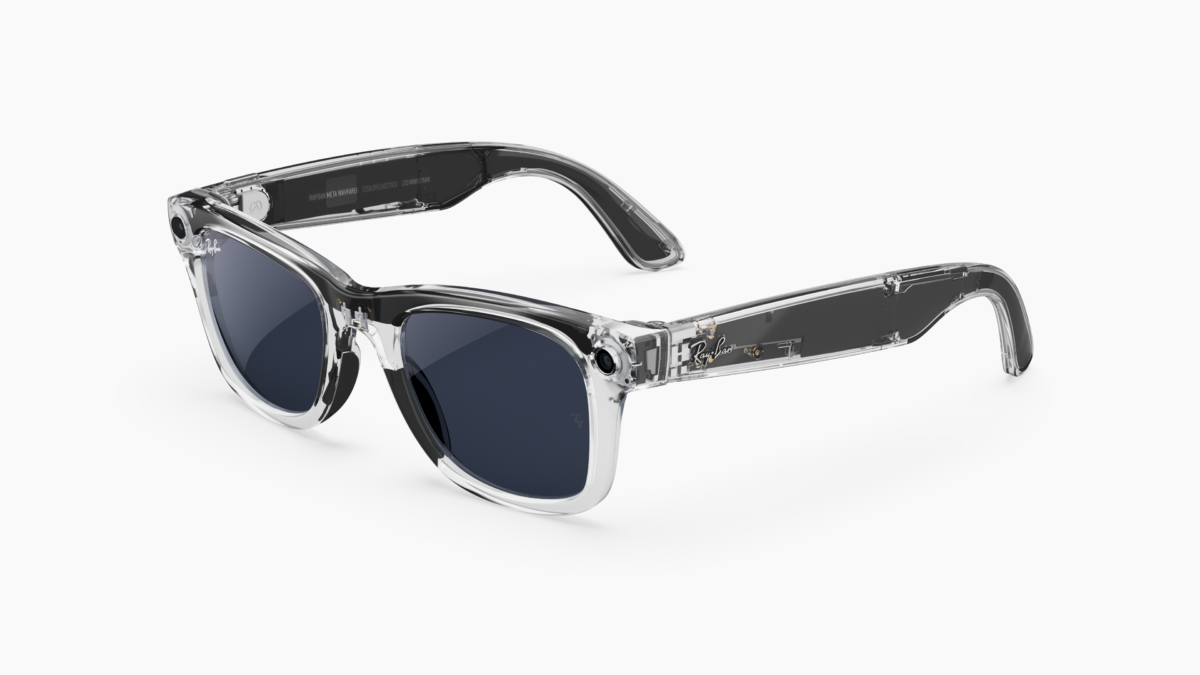
An unofficial plugin puts the camera of a pair of Ray-Ban Meta Gen 2 glasses into a live OBS Studio scene on Windows, and the cost is that your phone stops owning the glasses. The project's own README puts it without softening: "Beta. Tested on one Windows 11 PC with one pair of glasses. The one-time setup makes this PC the glasses' owner, which disconnects them from the Meta AI phone app."

The Meta AI app, which this setup disconnects from the glasses. Image: Meta
Meta G Link Direct is AGPL-3.0 software written by a developer publishing on GitHub as RandyNorthrup, who released v0.1.0 at 16:25 UTC on October 19 and v0.2.0 at 18:10 UTC the same evening. Meta has nothing to do with it, and the repository says so in its own words: it "is not affiliated with, endorsed by or sponsored by Meta, Ray-Ban/EssilorLuxottica or OBS".
The video comes off a network the glasses create
The source appears in OBS as portrait video, 720 x 1280 at 30 frames a second, with the glasses' microphones available as its audio at 48kHz stereo and switched off by default. Bluetooth carries the control channel and the glasses' own 2.4GHz Wi-Fi network carries the video, which the project sums up as "No phone, no companion app, and no router or hotspot setup".
Higher settings exist and are not claimed to work. The properties offer 1080 x 1920 marked "experimental", and the project says only 720 x 1280 has been tested so far, with the first frame arriving about 20 seconds after a scene goes live.
Having the glasses host the network was not a design preference. The project says that when the glasses joined an existing network instead, a Windows hotspot or a home router, "the video stopped within a minute every time", and that on their own network the stream holds.

Ownership sits with one device at a time, so a PC holding the owner key locks the phone out. Image: Meta
Streaming drains the battery in about 40 minutes
Streaming runs the glasses down quickly, and the README puts one reading at about 35 to 40 minutes from a full charge, labelled "not yet confirmed". The v0.1.0 notes put what has actually run at 720 x 1280 video in OBS 32.2.2 and "Runs of up to 3 minutes with no stall", which is a long way short of a stream.
The Wi-Fi adapter doing the work has no internet while the camera runs, so the project tells anyone streaming online to "connect the PC by Ethernet", and says a two-adapter arrangement "hasn't been tested yet". Reconnecting after a dropped link "is implemented but hasn't been exercised on real hardware yet", and the project records that the PC "doesn't yet verify the glasses' identity signature during the handshake".

Ray-Ban Meta's Coperni edition. The project names Gen 2 and no other model. Image: Meta
Handing the glasses back to the phone is untested too
Ownership is exclusive by design. "The glasses accept one owner", the README says, and "Setting the glasses up on another PC takes them away from this one", so the phone and a second computer are both locked out while the first one holds the key. The route back is to remove the glasses in Meta AI and add them again, and the project adds that "That return trip hasn't been tested by this project yet".
That dependency is not unusual for third-party glasses software. OpenVision, an open-source iPhone app that drives Ray-Ban Meta Gen 2 with a model of the owner's choosing, still pairs through Meta's app, which Meta requires for managing its glasses. What is new here is the direction of travel, pulling the camera out of the glasses and into a PC rather than pushing a picture into them the way Glasscast streams a whole Android phone onto Ray-Ban Display.
The protocol work is borrowed and credited. The session, Meta setup and stream handling are ported from Visor by macedonga, also AGPL-3.0, the network messages "follow the Meta AI app's protocol definitions", and the repository states that "No Meta code or binaries are included". The setup tool carries the Meta AI app's two public client tokens, which it says "identify the app, not a person, and were already public".
There are two Windows builds, neither code-signed, and the project's own coverage is one PC, one Bluetooth adapter, one Wi-Fi adapter and one pair of glasses. It asks for reports from other PCs, other adapters and other glasses firmware, and records that its own glasses' firmware build "hasn't been recorded yet".

