
L+R marks eight of its own Ray-Ban Display demos as concepts, not working apps

Design studio L+R rewrote its catalogue of Meta Ray-Ban Display demo apps on October 10 and put a status marker on all but one of its entries, including the ones that do not work the way they look. The published catalogue lists 52 demos and marks 51 of them: 33 as "working on the glasses as described", 10 as "working, but depends on a live third-party API or server", and eight as "concept: real interface, simulated data or service". Those counts were taken row by row from the file at 21:38 UTC on October 10.
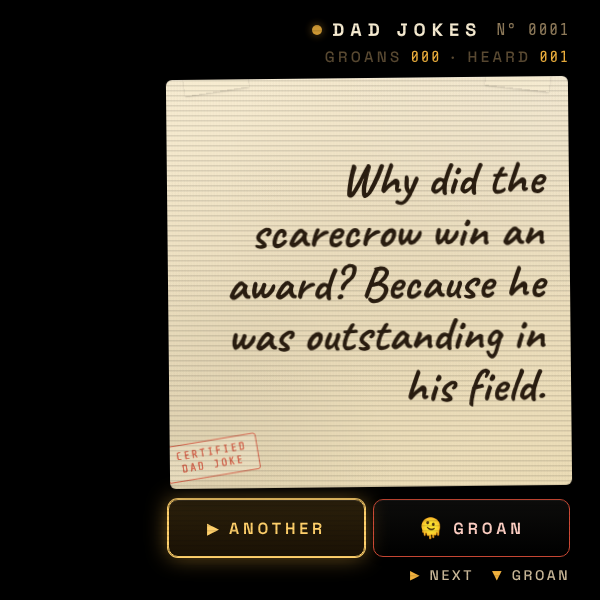
L+R's own 600x600 lens-output preview of its Dad Jokes demo, one of the 10 entries marked as working but dependent on a live third-party service. Image: L+R
No entry is a shipping product, and the studio presents all 52 as demo web apps. The rewrite landed in a run of commits between 19:33 and 20:31 UTC on October 10, one of them titled "readme: legend covers 14 feature markers". The repository showed three stars.
The studio spells out what a web app gets to touch
L+R says every demo takes the same input: the Meta Neural Band and the temple touchpad, with a thumb swiped along the index finger for the four directions, an index-to-thumb pinch to select and a middle-finger pinch to go back. Demos that accept text do it through the glasses' neural handwriting. Beyond that, the studio writes, "wrist rotation, pinch-and-hold scrolling and custom gestures are reserved for the system, and there is no vibration or haptic feedback".
Meta's own developer documentation, updated September 27, agrees on the part it covers. It says the glasses "receive directional and activation input from the touchpad and, when available, Meta Neural Band", that an active page "receives standard keydown events for ArrowUp, ArrowDown, ArrowLeft, ArrowRight, and Enter", and that developers should let Chromium WebView or UI Toolkit own directional focus movement and activation. The sentences about reserved gestures and missing haptics are L+R's, not Meta's.
Every demo is plain web code with no build step
The studio says each app is vanilla HTML, CSS and JavaScript with no framework and no build step, uses CSS animation for transitions and focus, self-hosts its fonts, works offline through a service worker, and carries a QR code for loading it onto a pair of glasses. The demos themselves are small and domestic: a four-function calculator driven entirely by the D-pad, a metronome you tap by nodding, a tilt-scrolled fairy tale, Snake, and a brushing coach that counts strokes from head motion.
Alongside the three status markers the catalogue carries 14 feature markers, so a reader can see at a glance which demos use voice control through Meta AI, neural handwriting, head motion from the gyroscope, GPS, the microphone, the camera, deep links to other apps, local saving, a WebSocket connection or an AI model in the loop. The catalogue separates finished work from works in progress, proof-of-concept pieces and a handful of testing apps, one of which does nothing but display every D-pad tap, double-tap and hold as it arrives.
The catalogue also links the studio's companion site at displayglasses.dev and a getting-started guide on it. Other Ray-Ban Display web work has taken narrower routes, among them Glasscast, which mirrors a whole Android phone screen onto the lens, and Meta's own voice control for web apps, which ships switched off. The 10 demos marked as depending on a live third-party service sit between the two states, working on the glasses only for as long as someone else's server answers.

