
ChatGPT now works inside Microsoft Word, even on the free plan
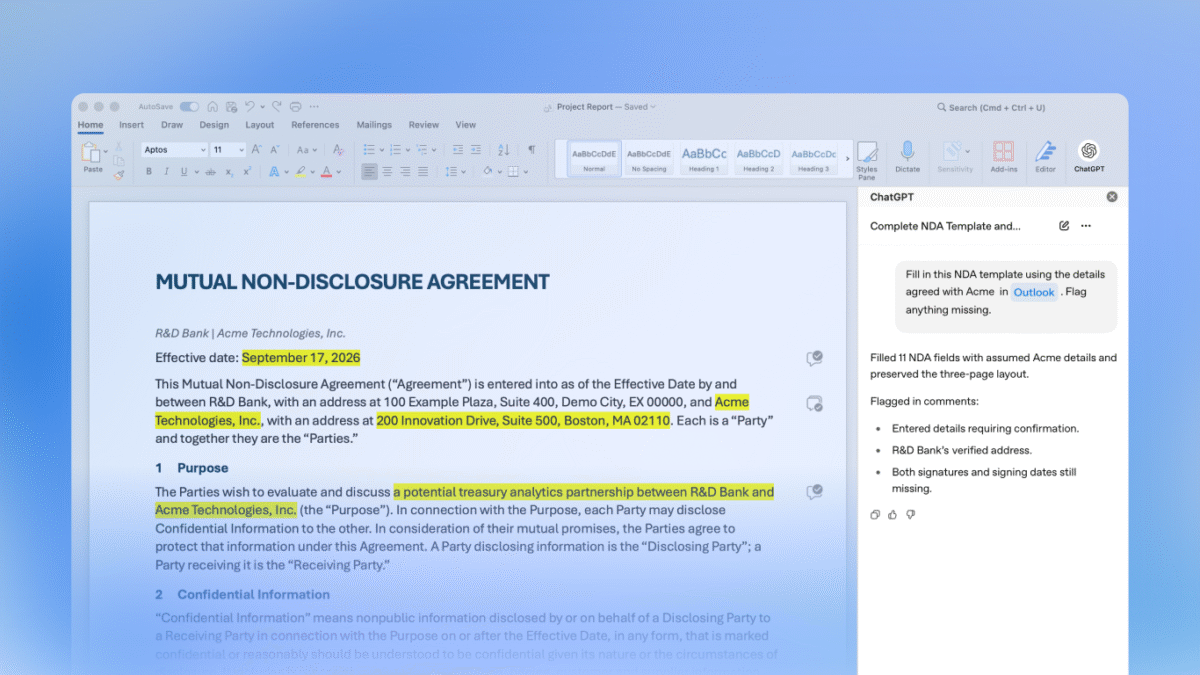
ChatGPT now works inside Microsoft Word on every ChatGPT plan, including Free, and it arrives through the same add-in that already brings it to Excel and PowerPoint. OpenAI's release notes for September 17 say you can draft from notes, summarise a document, revise selected text and adjust headings and formatting from a ChatGPT sidebar.
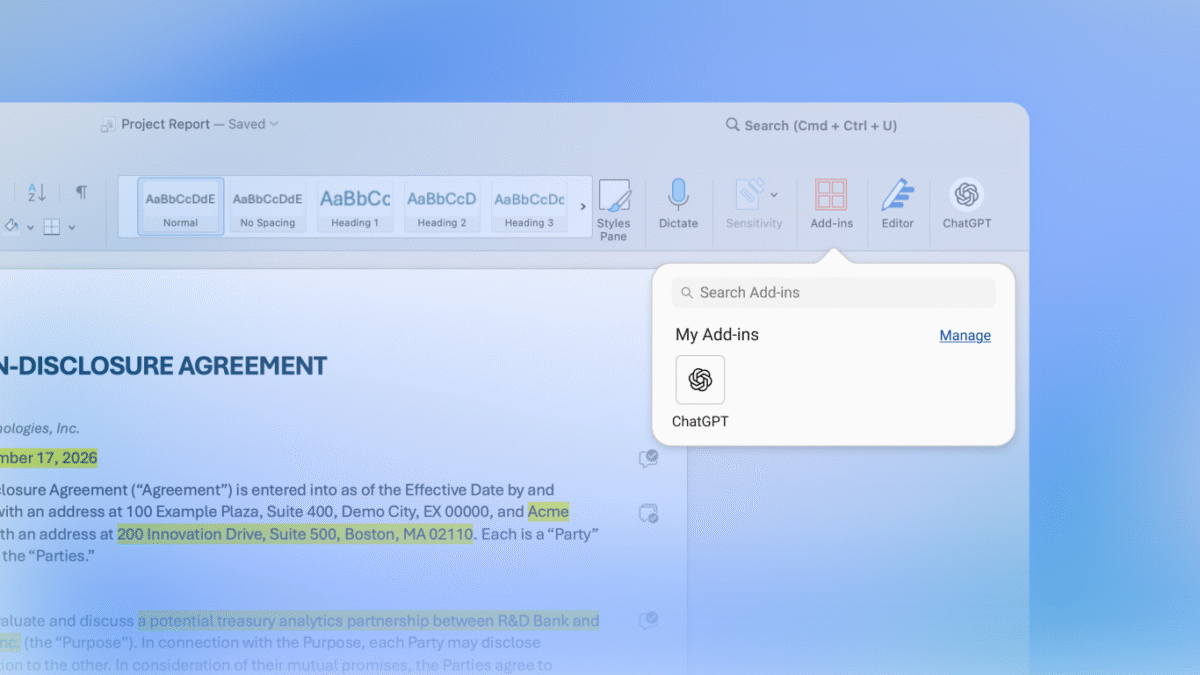
ChatGPT appears under Add-ins and as its own button on the Word ribbon, in OpenAI's Marketplace screenshot. Image: OpenAI
The launch was tucked into a legal announcement. In its Astra for Law post, OpenAI says it is "making ChatGPT for Word generally available today", pitched at lawyers who want to proofread drafts, get suggested edits and flag formatting issues.
One add-in covers Word, Excel and PowerPoint
OpenAI's help article describes the setup: install ChatGPT from Microsoft Marketplace, open it from the ribbon in Word and sign in with a ChatGPT account. Word, Excel and PowerPoint share the one add-in, so anyone who installed it when ChatGPT for PowerPoint became generally available on July 6 does not need a second one.
The Marketplace listing names OpenAI as publisher and states that the add-in can read and make changes to your document and send data over the internet. Once it is set up, you select text and describe the change, or ask for an outline before ChatGPT rewrites anything larger.
Mixed News readers may remember Word, Excel and PowerPoint arriving on Meta Quest in December 2023. OpenAI's release note does not list which versions of Word the add-in supports.
Free still comes with a token budget
"Free" has a catch. The help article says Word uses token-based pricing at the API rates for the model you use, and your plan's token limits apply.
On plans that include Codex, Word draws from the same shared allowance as Codex and other premium features. A long editing session in a contract can therefore eat into the budget you had set aside for code.
The add-in also works in isolation. Conversations in Word are separate from your ChatGPT history, memory does not carry over, and plugins are not supported. ChatGPT sees only the open document, not other files on your computer, so source material has to be pasted into the prompt.
OpenAI lists its own warnings. Complex formatting, tables and charts may need manual fixes, and ChatGPT "can make mistakes and change content you intended to keep", so the company suggests saving a copy before substantial changes.
Admins control access, and a default changes on October 1
Business customers have a few settings to check. Workspace admins can turn ChatGPT for Word on or off in the ChatGPT admin console, and Microsoft 365 admins must also allow the add-in before it appears for employees.
The help article's admin instructions end with one date: "Starting October 1, 2026, ChatGPT for Word will be enabled by default." The line sits in that admin passage, and OpenAI does not spell out which accounts or settings it covers. In Business, Enterprise and Edu workspaces, inputs and outputs are not used to train OpenAI's models by default, while consumer plans follow each user's data controls.
For Word on the Free plan, the price of entry is a Microsoft account, a ChatGPT login and a token allowance.

