
Windows 11’s right-click menu is getting more useful: you can finally choose what appears
Microsoft is making the Windows 11 right-click menu more customisable, letting users choose which commands and app extensions appear instead of accepting the same layout for every task.
The updated File Explorer context menu can show familiar actions such as Cut, Copy, Paste and Delete directly in the menu, rather than in the row of icons. It also lets users decide which app extensions belong in the main menu and which move into a submenu.
The feature appeared in the October preview update for Windows 11 25H2 and 26H2. Microsoft says the November security update includes improvements from that preview, but lists the menu among changes rolling out gradually. Installing an update therefore does not guarantee it will appear on every eligible PC at once.
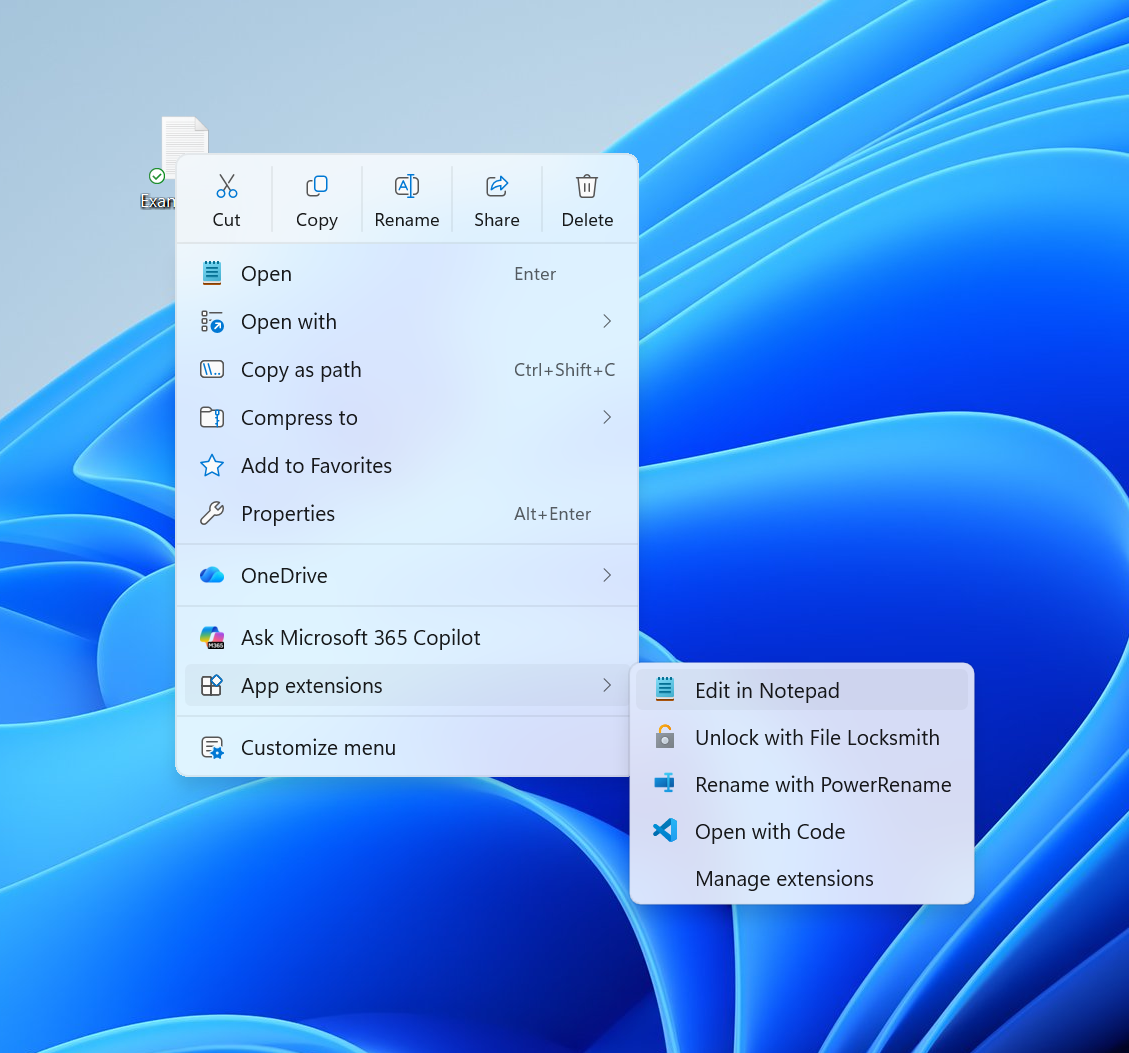
Microsoft showed the redesigned context menu in an Insider preview. Image: Microsoft
What you can change
When the new menu is available, right-click and choose Customize menu at the bottom. That opens a Settings page where you can adjust built-in commands and the placement of extensions supplied by apps.
Microsoft says users can turn commands such as Send to and Create shortcut on or off, add commands such as Print, and choose whether to hide the app-extension submenu. Properties can also be moved to the bottom of the menu.
The option to place standard actions directly in the menu gives their labels more prominence. The commands themselves are familiar; the practical change is being able to arrange the menu around the ones you use.
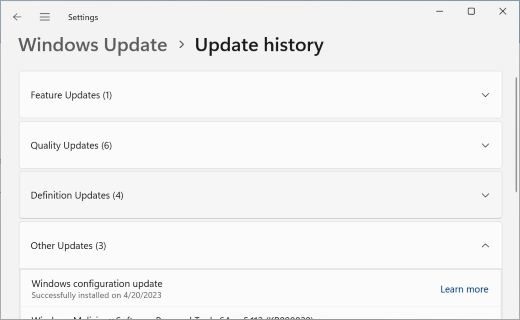
Windows Update history can help identify an installed update. Image: Microsoft
Why the update may not appear yet
Microsoft’s release notes mark the context-menu changes as a gradual rollout. The company describes this as a phased release where features can reach devices at different times, so a missing Customize menu option does not necessarily mean your update failed.
The October preview applies to Windows 11 25H2 and 26H2. Microsoft’s November security update notes say they include previously released preview improvements for those versions. They do not promise the new menu will arrive for all versions or all users simultaneously.
Microsoft also says that holding Shift while right-clicking the desktop shows more options. For people who do not want to customise anything, the default menu remains usable without changing settings.
To see which Windows version you are running, open Settings, select System and then About. Windows Update and its update history can show the status of installed updates, though neither is a guarantee that a staged feature has reached your particular device.

