
VRChat is changing its Quick Menu, but you can keep the familiar teal colors

VRChat is preparing a new look for the Quick Menu's Here page and user profiles, putting frequently used actions and the people in an instance closer to hand. The changes are planned for the 2026.4.2 release, and players who prefer the familiar teal color scheme can choose it again in their settings.
The November 5 developer update shows how the new pages are intended to work. It is a preview of the forthcoming release, not confirmation that every user already has the new layout.
VRChat is introducing a refreshed visual style piece by piece rather than replacing every menu at once. The company says a new default color theme will apply across the interface while updated layouts arrive gradually.
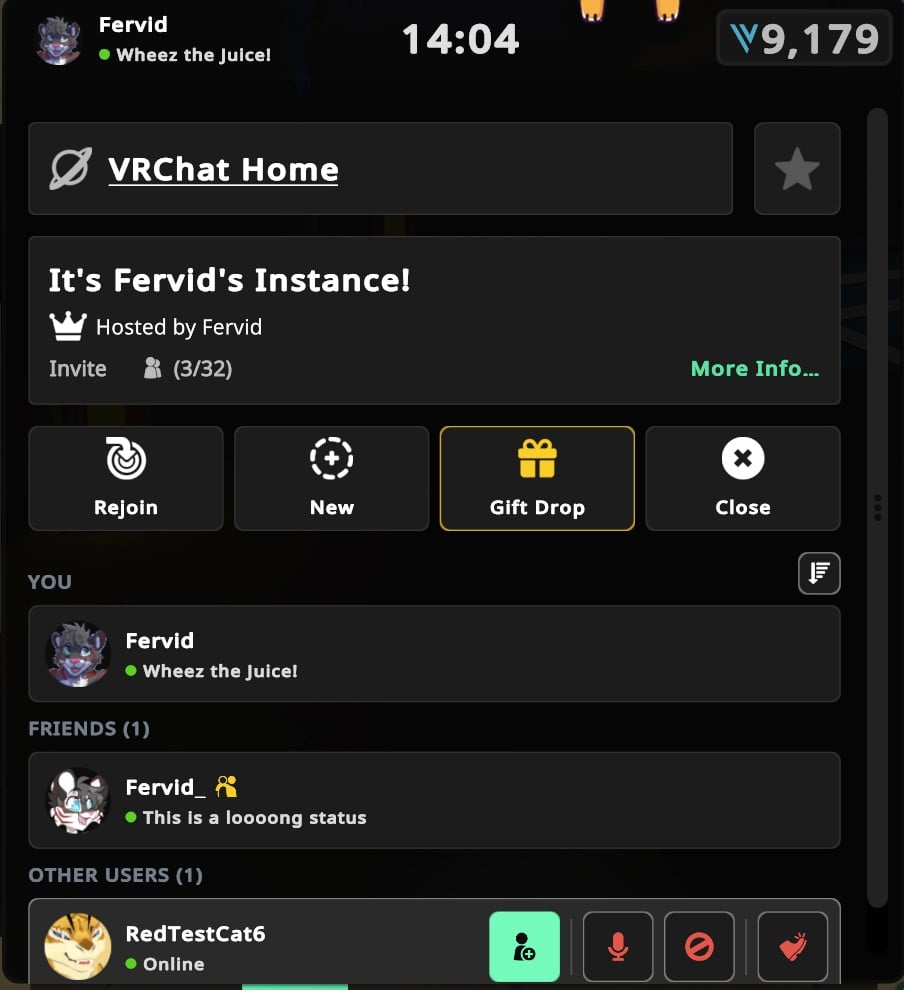
Image: VRChat
The Here page puts the user list closer to the top
The revised Here page gives more room to actions such as friending, moderation and instance controls. The user list moves above the fold, making it easier to see who is in the instance without scrolling as far.
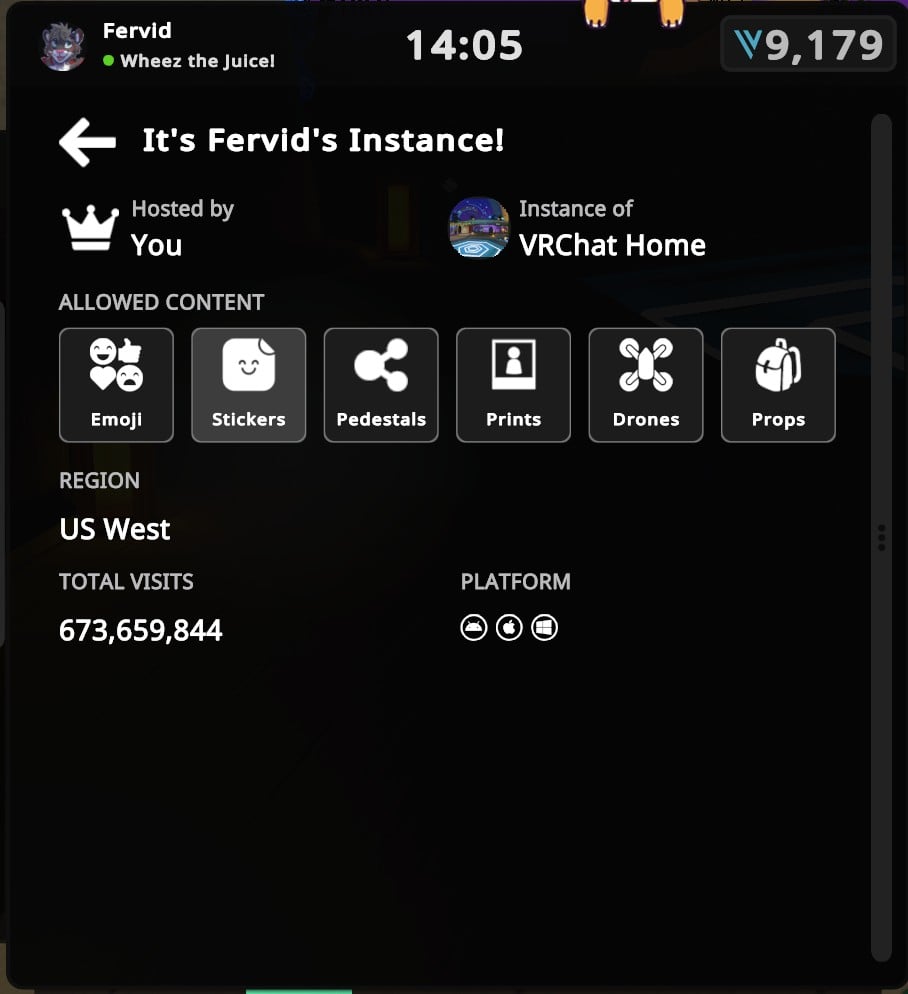
Image: VRChat
An optional sort control can put the user list in alphabetical order without prioritizing friends or user classes. The regular segmented categories remain the default when that sort is not selected.
Selecting More Info opens an instance-details page, where the team says it has moved instance content settings. That page can show information such as the region, host, supported platforms and any additional details supplied by the instance creator. The instance report button and a control for muting announcements in group instances also move there.
Some controls differ depending on whether you own the instance or are visiting it. VRChat's preview shows owners able to adjust content settings, while visitors see an informational view.
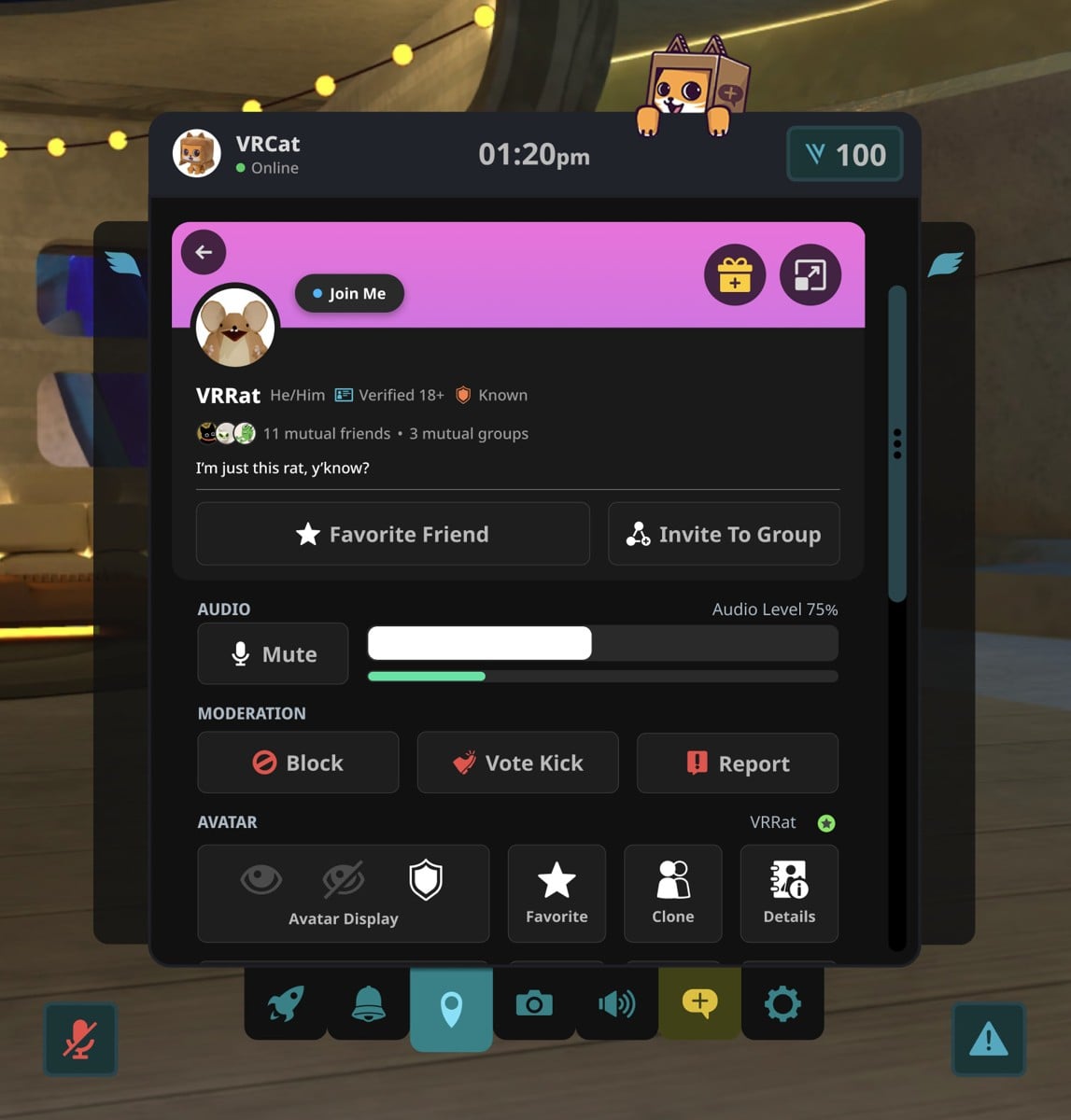
Image: VRChat
Profile actions are being grouped together
The Quick Profile, opened by selecting another person in an instance, is getting its own reorganization. Social actions such as friending and groups move near the top, while mute sits alongside the volume control. Blocking, vote kicking and reporting are grouped in a separate moderation row.
VRChat says the new arrangement exposes 12 actions without scrolling, compared with nine in the old layout. Moderators in an instance also see their relevant actions, including warning and kicking, in the moderation area.
Players who want the old color scheme can go to Inventory > Cosmetics > UI Themes and select Teal. The company says this choice is available without a VRC+ subscription. It restores the colors, not the previous page layouts.
Custom VRC+ themes should continue to work, though VRChat says some shades may be adjusted for brightness and contrast. The team asks users to report cases where a custom theme stops appearing where it previously worked. It has not provided a release date for every part of the wider visual refresh.

