
Nvidia's new Frame Generation mode is up to 35% faster, and RTX 40 cards get it too
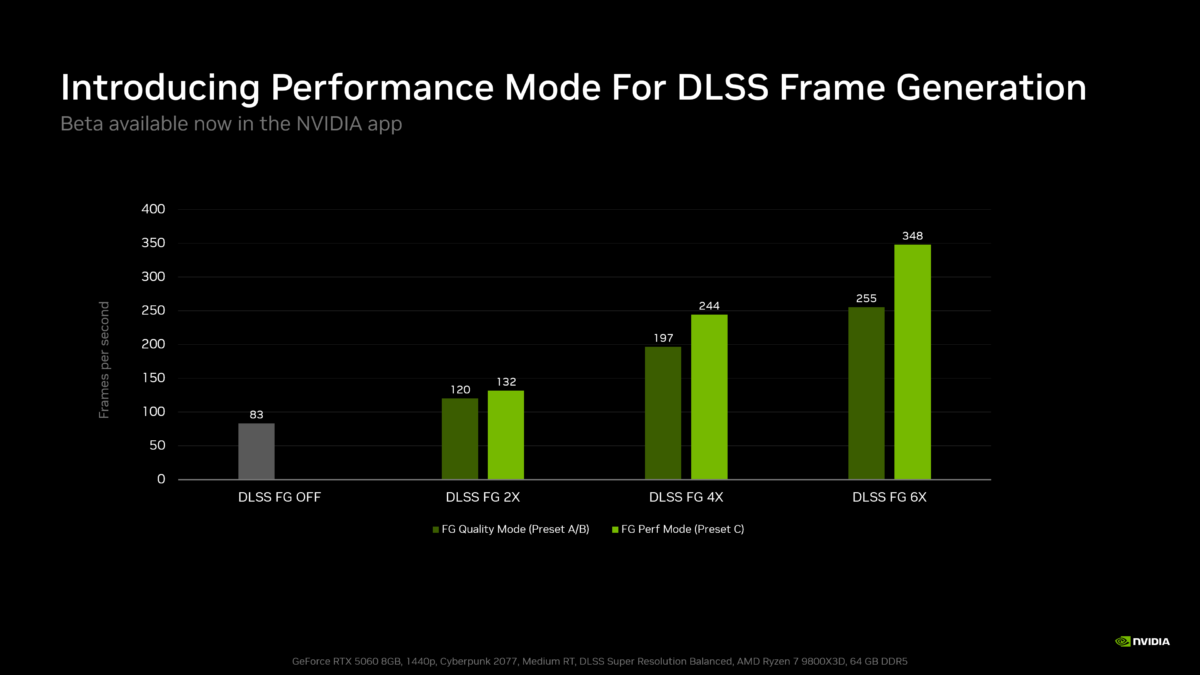
Nvidia has a faster mode for DLSS Frame Generation, and it works on RTX 40 cards as well as RTX 50. The catch is a small loss in image quality. For now it is a beta feature in the Nvidia app.
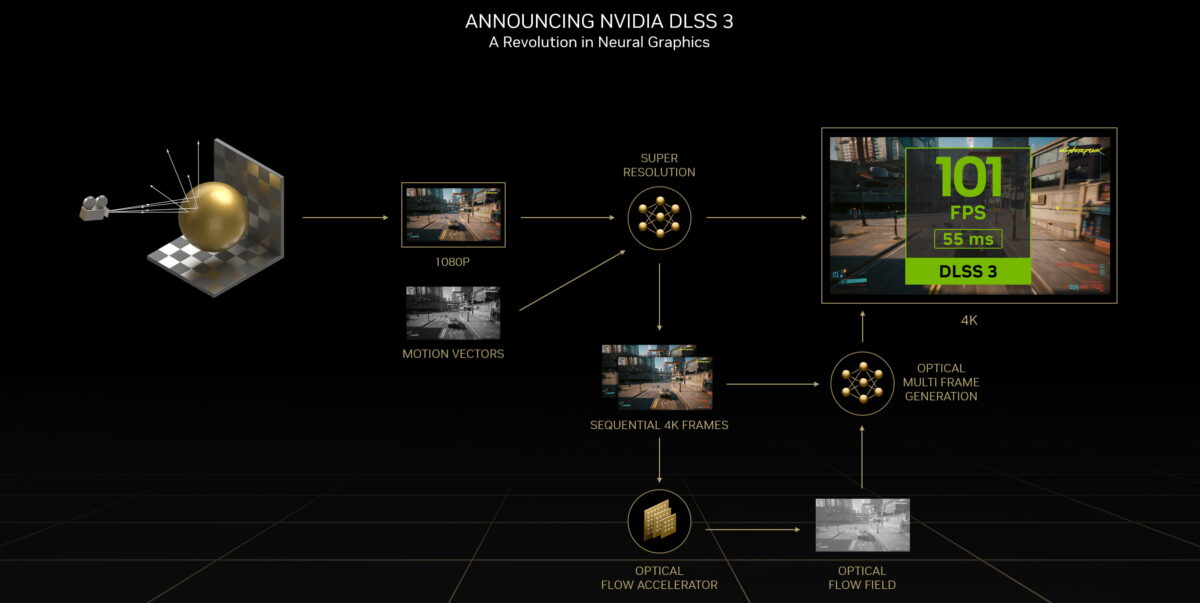
Nvidia's 2022 diagram of how DLSS 3 works, the release that introduced Frame Generation on RTX 40 cards. Image: Nvidia
Nvidia says the new mode, labelled Preset C, is up to 35% faster on a GeForce RTX 5060. It works on GeForce RTX 40 and RTX 50 graphics cards and on the new RTX Spark laptops.
Preset C swaps one of the two AI models for a lighter algorithm
Frame Generation runs two AI models. One uses game data such as motion vectors and depth to work out how objects move between two rendered frames. The second calculates optical flow for things like the user interface and ray-traced effects.
Preset C replaces that second model with what Nvidia calls a faster and lighter algorithm. Nvidia says this brings minor trade-offs in image quality. It has not published side-by-side comparisons, so it is not yet clear how visible they are.

Frame Generation is part of DLSS, which Nvidia keeps updating through its app. Image: Nvidia
Nvidia's 35% figure comes from a single card, the GeForce RTX 5060
The 35% is a best case, measured on Nvidia's entry-level RTX 50 card. Nvidia gives no figure for RTX 40 cards or for faster RTX 50 models. Gains will vary by game, resolution and multiplier.
The mode applies to standard Frame Generation, Multi Frame Generation and Dynamic Multi Frame Generation. RTX 40 owners only get the standard version, because the multiplied modes need an RTX 50 card. Nvidia drew the same line when it set out how Modern Warfare 4 splits DLSS 4.5 features by GeForce generation.
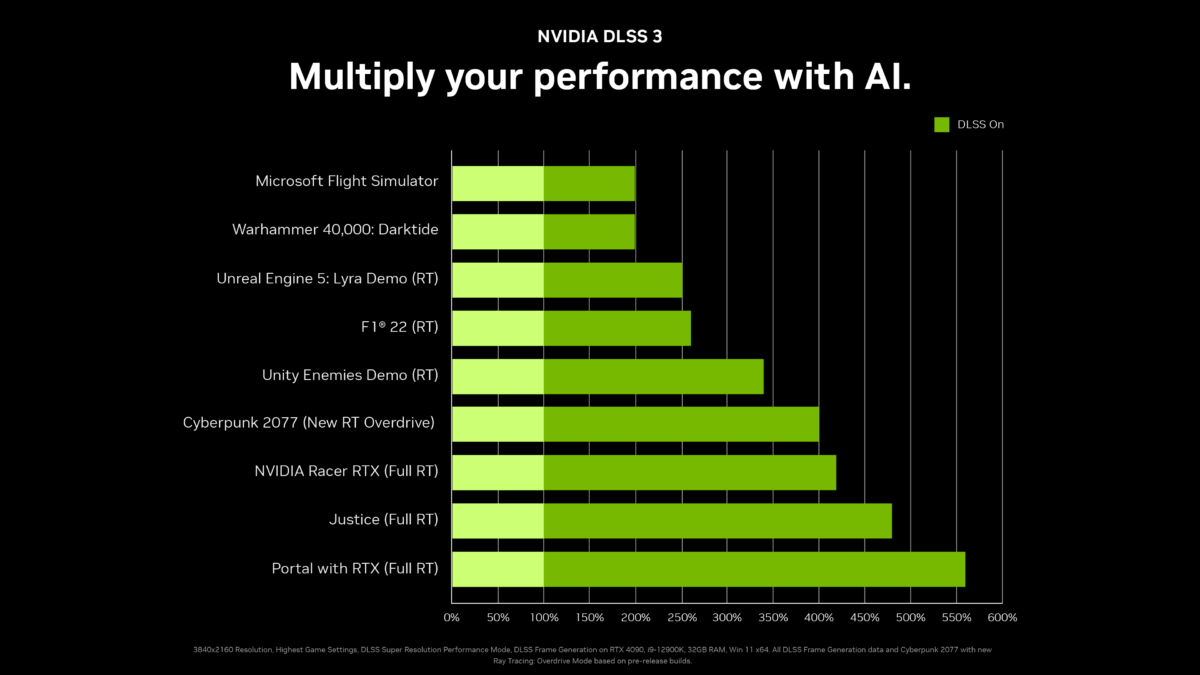
Nvidia's 2022 DLSS 3 performance chart for the GeForce RTX 4090. Image: Nvidia
Players switch Preset C on through the beta version of the Nvidia app
Players need the latest Nvidia app with beta features turned on in Settings, under About. Once the beta installs, they pick a game in Graphics, open DLSS Override Model Presets under Driver Settings and choose Custom. Preset C is then in the Frame Generation drop-down. Nvidia says a reboot helps if it does not appear.
The setting can be applied per game or globally to every supported game. That makes it easy to try in one title first and switch back if the image looks worse.

