
GTA 6 crashing on PS5 or Xbox? Check the error code before changing settings

If GTA 6 crashes or refuses to start on your PS5 or Xbox, make a note of any error code before changing settings or deleting files. A storage warning calls for a different response from a network timeout, and your saved progress is worth protecting while you work out what went wrong.
Rockstar directs GTA 6 players to the PlayStation and Xbox error-code guides for console problems. The codes below are general PS5 messages, not errors Rockstar has identified as unique to GTA 6. The suggested steps are starting points, and they may not solve every crash.
I would begin with the least disruptive option that matches the message on your screen. You can check for updates, storage and account issues without immediately resetting your console or deleting saved data.
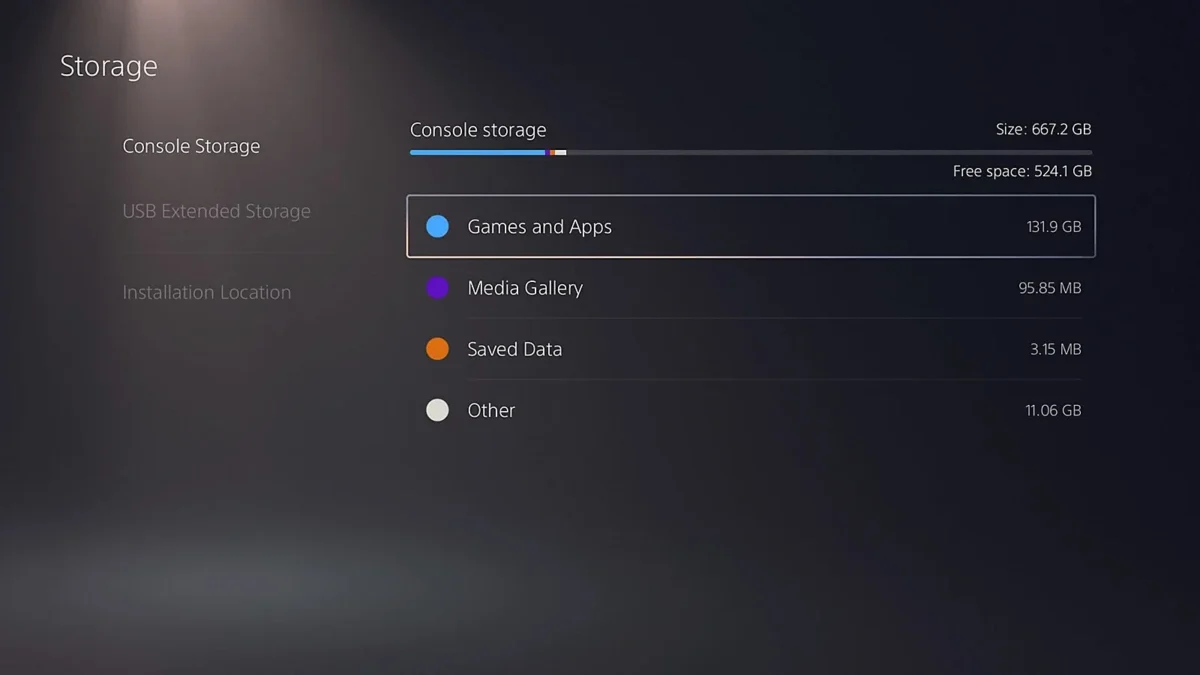
The PS5 storage menu separates Games and Apps from Saved Data. Image: Sony Interactive Entertainment / NextPlayIntel
PS5 error codes can point you toward different fixes
CE-108255-1 is Sony’s general game or app error. Its first recommendation is to make sure the game is updated. If the message keeps appearing, Sony also offers further help through PlayStation Repairs.
CE-100028-1 means there is not enough free space on the SSD. Head to Settings > Storage and check the space available. You can remove an unneeded game or app to make room, but keep the separate Saved Data section intact.
NW-102417-5 is a connection timeout. Sony recommends checking PlayStation Network’s status and restarting the PS5. For a wireless connection, moving the console closer to the router or trying a wired connection can help you narrow down the problem.
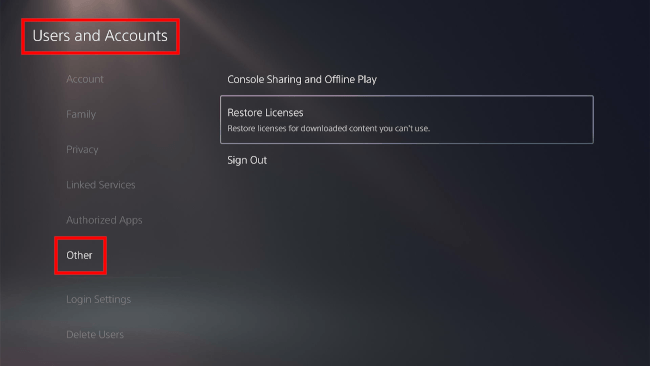
Restore Licenses is under Users and Accounts, then Other. Image: EasyTechGuides
Check the account and download code if the game is locked
A padlock on a PS5 game can point to an account or licence issue. Make sure you are signed in to the account that bought or redeemed it. Sony also suggests restoring licences for locked games: open Settings > Users and Accounts > Other > Restore Licenses, then select the relevant licence. Sony says doing so does not affect your data.
It is also worth checking the region on a boxed code. For example, the US Amazon PS5 edition contains a download code rather than a disc, and its listing says it needs a PlayStation account registered in the US or Canada. If your code came from elsewhere, check the conditions on that purchase instead.
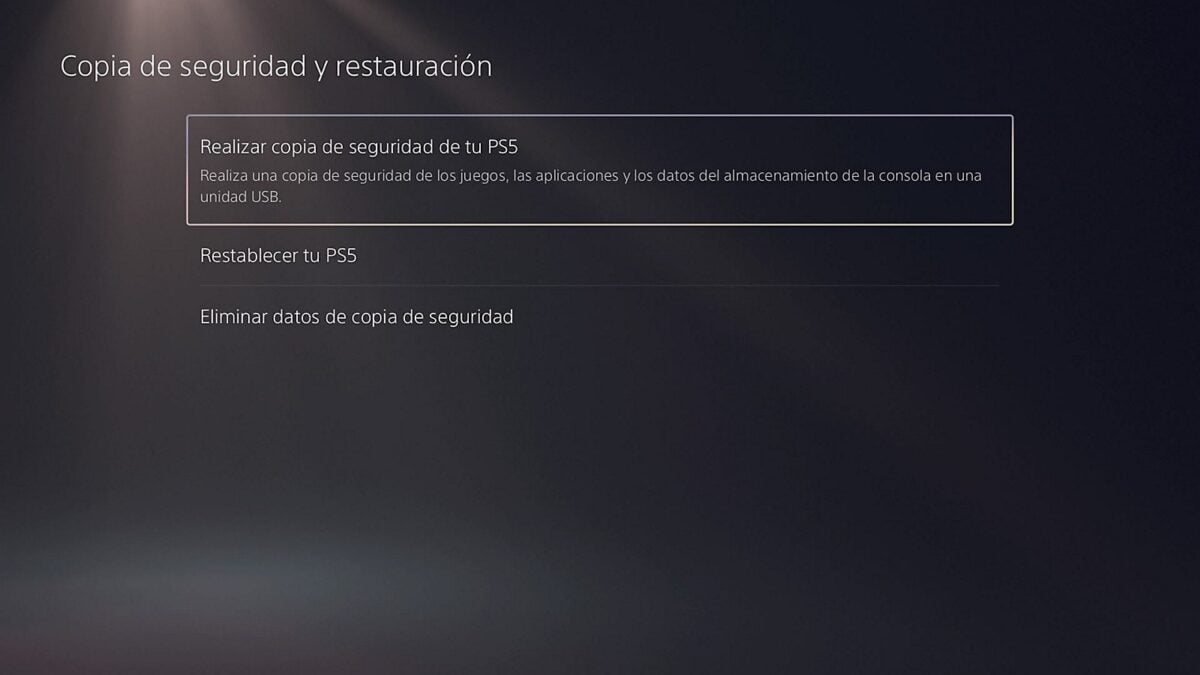
The PS5 backup menu is shown here in Spanish. Image: Sony Interactive Entertainment / INSERT FUTURE
Back up your save before considering a console reset
A console reset is far more serious than clearing a cache. Sony warns that resetting a PS5 deletes user and game data, so do not choose it as a first response to a crash. Check that your saves are backed up and that you understand what the selected option will erase.
PlayStation Plus members can use cloud storage for PS5 saves. Sony also offers a USB console backup that can include saved data. Read the restore instructions carefully: restoring a PS5 backup erases the data currently on that console.
Xbox players can check their code without erasing progress
On Xbox Series X or S, look up the exact message in Microsoft’s error-code guide. Rockstar links to it for GTA 6 console errors, so it is a sensible place to start before trying a fix for a different code.
For freezes or loading problems, Rockstar’s general Xbox cache instructions say to shut down the console, unplug its power cord for two minutes, then reconnect it and switch it on. Rockstar says this will not affect save data, although brightness and language settings will reset. It is a troubleshooting step, not a guaranteed GTA 6 fix.
If a problem persists, keep the exact code and a description of when it appears. That information will help when you contact PlayStation, Xbox or Rockstar support.
Image credits: Rockstar Games; Sony Interactive Entertainment / NextPlayIntel; EasyTechGuides; Sony Interactive Entertainment / INSERT FUTURE.
Note: Links to online stores in articles can be so-called affiliate links. If you buy through this link, MIXED receives a commission from the provider. For you the price does not change.
As an Amazon Associate we earn from qualifying purchases.

