
Google Vids lets you separate a clip’s audio and slow video down to quarter speed

Google Vids is adding two useful editing controls: you can detach a video clip's audio into its own track, and change a clip's playback speed from a quarter of normal speed to twice as fast.
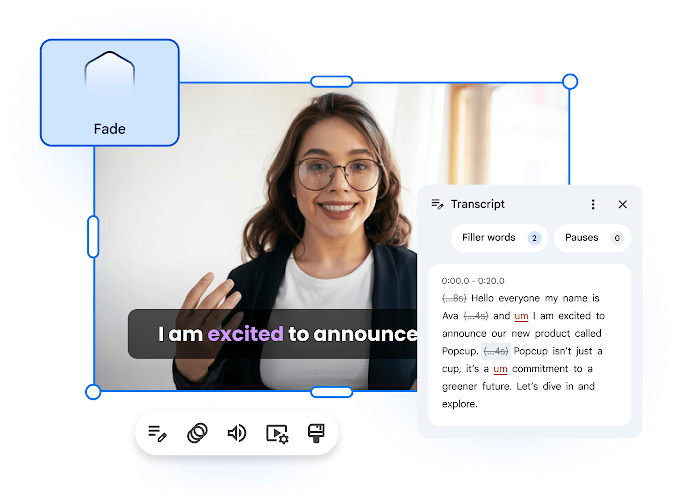
Google’s existing Vids editing workspace, shown in its product materials. Image: Google
Google detailed both changes on October 23. They are available to personal Google accounts, Workspace Individual subscribers and all Google Workspace customers as their respective rollouts reach accounts.
A detached audio track can continue across different scenes.
The audio extraction tool separates a clip's soundtrack from its picture with a single action. You can then trim, move or delete the audio independently without disrupting the video's timing.
Previously, a video's sound was tied to that scene and could only be muted or unmuted as part of the track. Detached audio can instead run beneath another clip or span several scenes on the timeline.
That is useful when narration should continue while the picture changes. A spoken explanation can carry across several views of a product, for example, without requiring the original video to remain on screen for the whole passage.
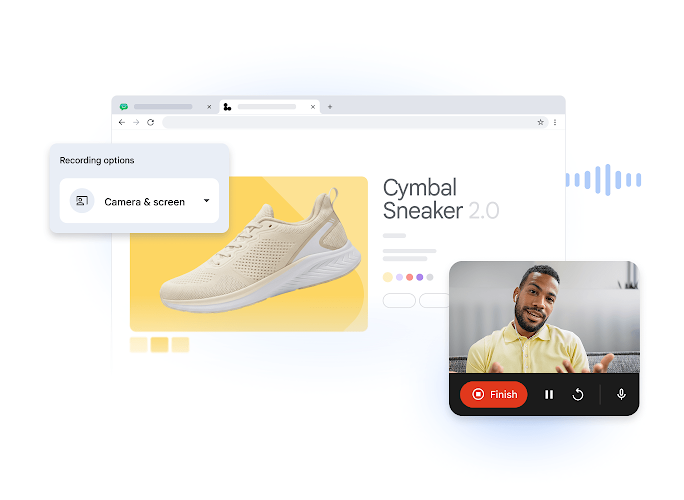
Vids includes screen and camera recording for demonstrations that can be edited on the timeline. Image: Google
Speed controls let you adjust a demonstration’s pace.
The separate playback-speed control works on individual video clips. At 2x, a long demonstration can run faster; at 0.25x, a short sequence can give viewers more time to follow a detailed step.
These are timeline-editing tools, distinct from Gemini Notebook’s controls for planning generated video overviews. The change here concerns footage and sound already being arranged in Vids.
Audio extraction began rolling out on October 19, while speed adjustments started October 16. Both use gradual rollouts that can take up to 15 days, so one control may appear before the other.
Neither update requires a new administrator setting or user preference. Google lists the same broad account eligibility for both, without a separate paid AI subscription requirement for these editing controls.

