
Gemini can now edit PDFs and spreadsheets it creates inside your chat
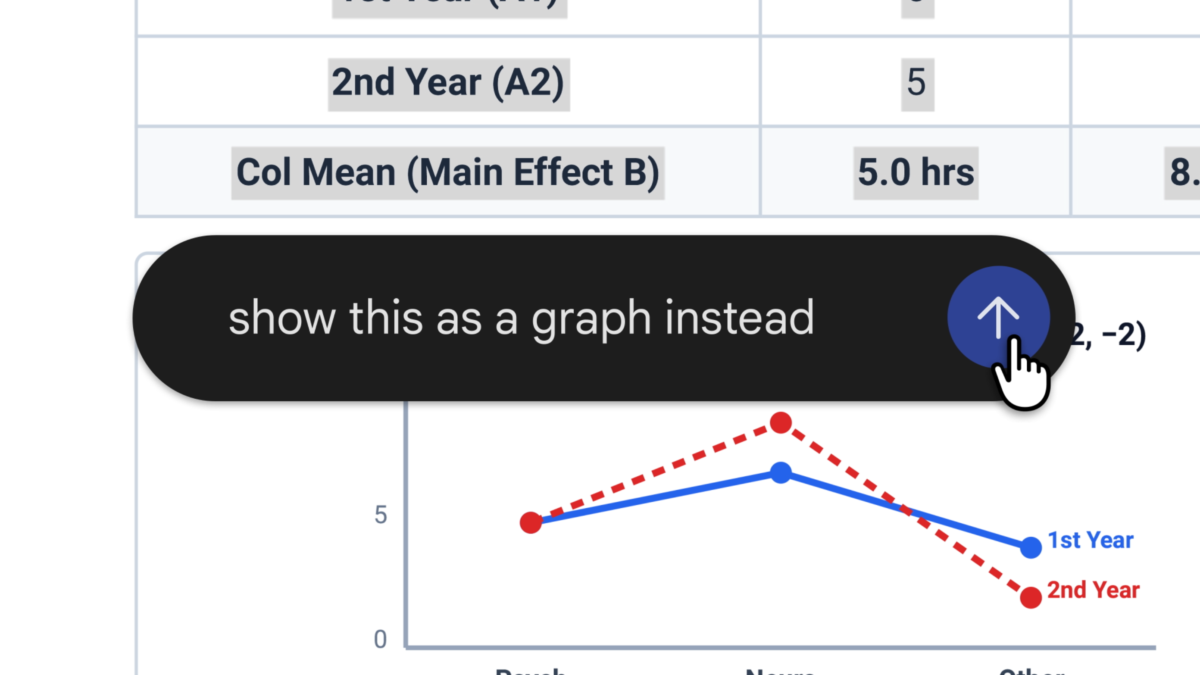
Google is adding a file editor to the Gemini app, letting users preview and change generated documents, spreadsheets, presentations and other files inside the conversation that created them. You can type changes yourself or highlight a section and ask Gemini to revise it.
There is a useful device distinction: PDF previews and editing work on the web and mobile, while Google says the other supported formats are available through the web app. That includes documents, spreadsheets, slide decks, Markdown, text files and code.
Google says the feature is available to personal Google account holders, Google Workspace customers and Workspace Individual subscribers, in the languages where the Gemini app is available. For Workspace domains, both Rapid and Scheduled Release are marked available now.
You can inspect and revise before exporting
Gemini can already generate a range of files from a conversation. The new part is the ability to preview and make changes within the chat, rather than treating the generated file as a finished download.
Google says a file can expand to full screen for direct editing. Users can select a passage to ask questions or request a change, giving the assistant a specific part of the file to work on. The company demonstrates a study guide made from uploaded handwritten notes, with text or visual revisions requested afterward.
For presentations, Google says Gemini can create an outline or slide content, show a preview and let users edit it or request changes before opening the file in Google Slides. Google also lists PPTX and PDF downloads for presentations. Spreadsheet users can generate structured trackers or tables and open the result in Google Sheets.
What works on a phone?
PDF editing and preview are the mobile exceptions in Google’s announcement. The company lists the other formats as web-only, so a phone user should not assume that editing a slide deck or spreadsheet in the Gemini app has the same availability.
The Gemini help page lists formats for file generation including PDF, DOCX, XLSX, CSV, LaTeX, TXT, RTF and Markdown. Google says most generated files can be downloaded or exported to Drive, but generation and the new in-chat editing experience should not be assumed to have identical support for every format and device.
To try it, ask Gemini to create a supported file, inspect its preview and use the available editing controls. Availability also depends on access to the Gemini app, which schools or workplaces may manage. Review the resulting text, numbers and layout before sharing; Google’s help page cautions that Gemini can make mistakes.

