
ChatGPT can now make looping GIFs, and you can save reference images for later chats
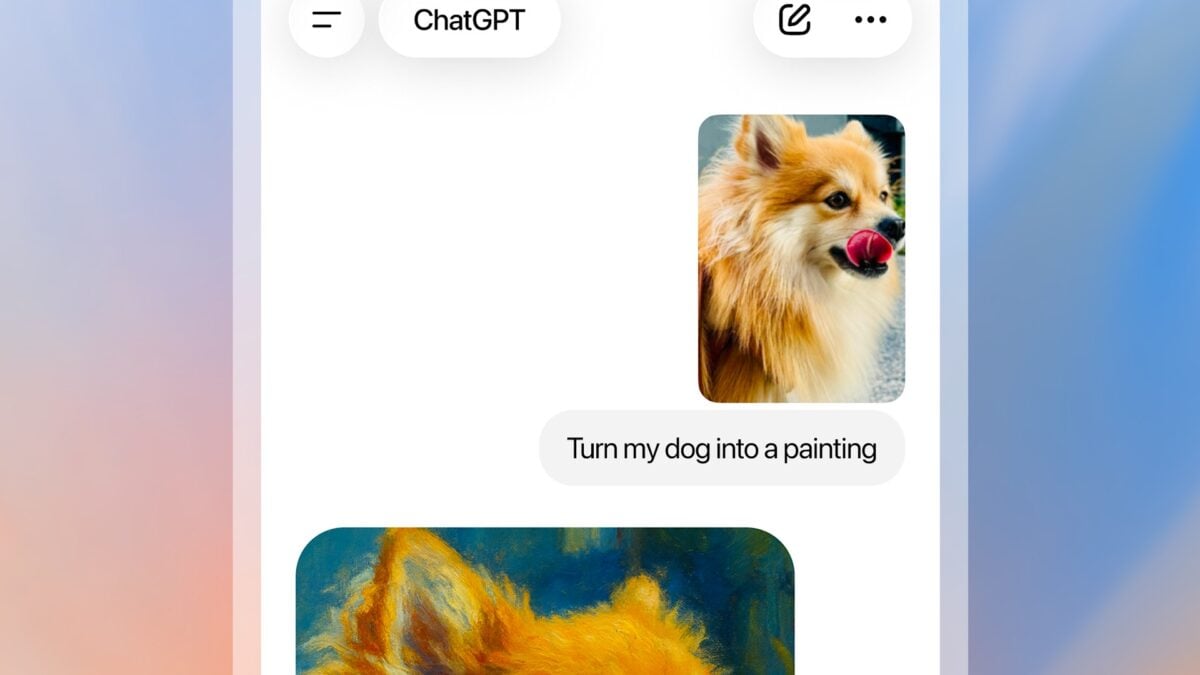
ChatGPT Images 2.6 is rolling out GIF creation, letting users ask for a looping animation from a prompt or an uploaded sketch. OpenAI is also introducing saved reference images, so an image can be named and reused in a later conversation without uploading it again.
The changes accompany an updated image model that OpenAI says is faster and better at preserving details across edits. In its example, a character's outfit can remain consistent while the background changes.
Images 2.6 is available globally in ChatGPT and Codex across subscription tiers, according to OpenAI's announcement. The company's ChatGPT release notes describe GIF creation as rolling out, so the new control may not appear for every account immediately.

Image: OpenAI
Make a GIF or reuse a named image
OpenAI says you can ask ChatGPT for a looping animation, or upload a sketch and request movement such as a character waving. The resulting GIF can be shared, and the company says users can adjust playback speed.
The saved-reference feature addresses a different problem: returning to the same subject in another chat. OpenAI's example is saving a pet photo under a name, then referring to it with an @ mention in a later prompt. That lets the user request a new treatment without locating and uploading the source photo each time.
These are tools for creating and refining images, not guarantees that every detail will stay identical. It is still worth checking text, faces, product details and any frames that matter before using the result in a finished project.

Image: OpenAI
Developers get two model options and more editing controls
OpenAI says Images 2.6 generates images 50% faster than before. That is the company's comparison; actual wait times will depend on the request and the service. It also says API developers can use two versions, GPT-Image-2.6 Flare and GPT-Image-2.6 Sunburst.
Flare is positioned for quicker generation, while Sunburst is intended for more detail and consistency across edits at medium or high quality. OpenAI says Flare can take as little as six seconds with quality set to low; that minimum should not be read as the time for every request.
For developers, the update also brings image markup to the API, SVG output and a complexity control. Markup allows a user to indicate an area for a requested change. The company describes complexity as affecting how much planning goes into a scene, while the quality setting controls visual detail.
These API controls and their charges are separate from a ChatGPT subscription. OpenAI points developers to its API pricing for current rates.
On ChatGPT, users can ask for an image in a conversation or choose the Images option. If GIF creation or named references are not visible yet, the release notes' rollout language is a reason to check again later rather than assume a paid tier is required for the base image model.

