
VR Realms launched free on Steam on September 25 and posted three update notes in five days

VR Realms, a free social platform for VR and desktop, arrived on Steam on September 25 and its developer has posted three sets of update notes in the five days since. The three add 3D spatial voice, rebuilt real-time mirrors and chat translation, among a long list of smaller changes.
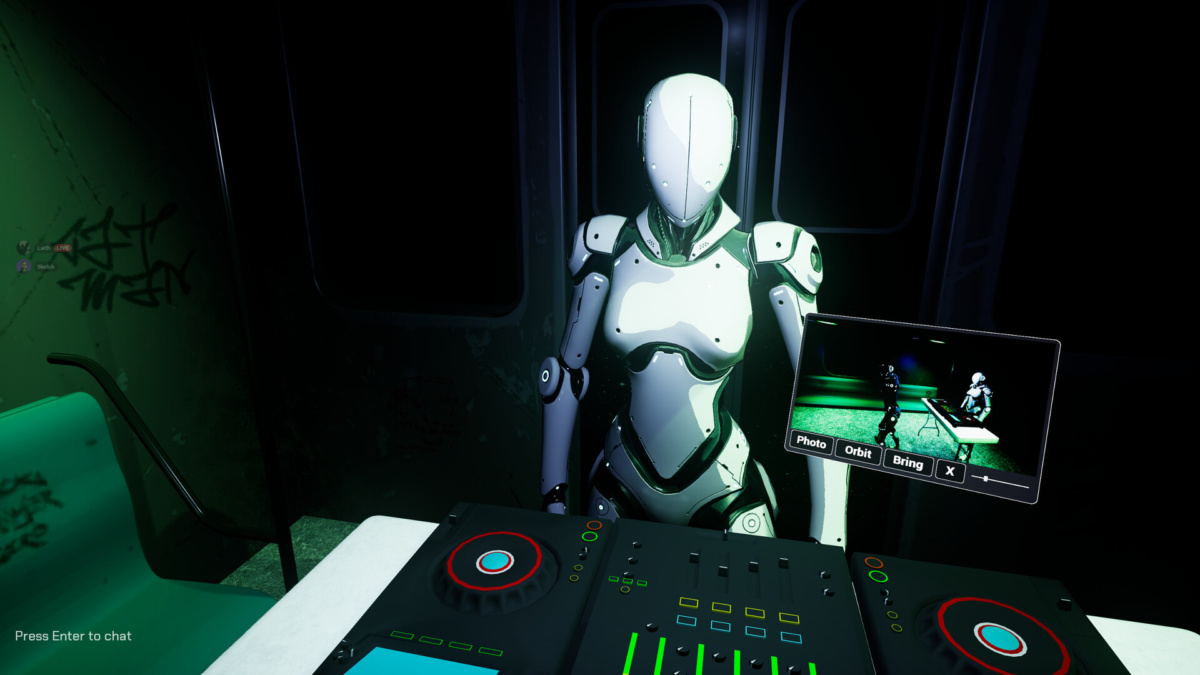
A white robot avatar behind a set of DJ decks in a dark subway carriage, with a floating camera panel offering Photo, Orbit and Bring buttons. Image: Sketchy Realms
Sketchy Realms is the developer and the publisher. The store page describes the game as "a free social world for VR and desktop. Hang out in an always-on hub, wear avatars made by the community, and explore worlds built and published by players through Steam Workshop." It is free to play, carries in-app purchases, and is listed as VR Supported rather than VR only, so a headset is optional. Community-made avatars and worlds are the same model VRChat runs on, where the Quest open beta has moved to Unity 6.
Spatial voice came first
In the 0.1.6 notes of September 27, Sketchy Realms thanked players for the launch week and said the update "is built from" the reports they sent. The biggest change is 3D spatial voice: "Voices now come from where people are standing. Someone behind you sounds like they're behind you, and walls soften voices on the other side. Proximity voice is always on."
The same update raises voice sliders to 200% for quiet microphones, adds a brightness slider, gives VR players a dedicated microphone button on the top button of the wheel hand, adds a "Laser on Right Hand" comfort option, remembers which microphone you chose across worlds and restarts, and sorts the Worlds list with the busiest instances first. A language picker now sits in the menu on every page.
Two posts, both labelled 0.1.7
Later the same day came a second set of notes, 0.1.7, aimed at non-QWERTY keyboards. Move Forward, Back, Left and Right each get their own binding, so an AZERTY player can set Z Q S D, and the studio also fixed a regression it had shipped hours earlier: "In 0.1.6, W A S D could move you the wrong way on desktop."
Then on September 30 the studio posted a second, much larger set of notes also labelled 0.1.7. It does not explain how the two relate, so they are best treated as two posts under one version number rather than two builds.
Mirrors are the largest change in that one. "Mirrors now use a real time reflection system, so you get a sharp and true reflection of yourself and the room with no weird zoom", the notes say, with each mirror carrying its own panel for the view, quality, name tags, a performance mode and range. Chat translation arrives alongside it: tap anyone's chat message to translate it into your language.
Sitting, and a menu on your wrist
The same update lets players sit and lie down more or less anywhere, with 16 lying poses, and in VR your legs sit while your upper body stays tracked. A Seated Mode under Settings then Comfort keeps your avatar at full height while you play from a real chair. The old radial wheel becomes a Quick Menu that sits on your wrist in VR and opens at the side of the screen on desktop, and you can keep moving while it is open.
Creator Kit 0.4.25 ships with it, adding a mirror marker and clearer build errors when an avatar or map is saved somewhere the build cannot reach. Worlds built with a wall-mounted mirror need rebuilding with the new kit for the reflection to stay clean.
That is the whole record so far: a launch and three sets of notes in five days. Sketchy Realms has published no player numbers, and neither the store page nor any of the three posts gives one. The notes end where they began, by asking players to keep sending reports.


They in ver 0.2.2 now