
GPT-6.1 Terra: why is it not showing up? Here’s what OpenAI says
GPT-6.1 Terra has launched, but it will not appear in every ChatGPT model picker. OpenAI says the new model is available in ChatGPT Work and Codex, while the Chat experience is excluded.

OpenAI’s GPT-6.1 Terra artwork on its model-selection page. Image: OpenAI
That is the first thing to check if you are looking for it. OpenAI’s API changelog records the release on October 26, and its product documentation explains which plans, apps and account settings determine access.
OpenAI says Terra is available in Work and Codex, not Chat.
The company’s availability announcement names Plus, Pro, Business, Enterprise and Edu plans. It covers Work and Codex in the desktop app, alongside Work on the web and mobile. Free and Go are not listed in that announcement.
OpenAI states the distinction directly: “The model isn’t available in Chat.” If you have been checking the picker in Chat, switching to an eligible Work or Codex experience is the relevant next step.
The same notice says Terra does not support UAE inference residency. Enterprise access also depends on workspace availability and administrator controls. Those restrictions matter even when the underlying subscription is one of the supported plans.
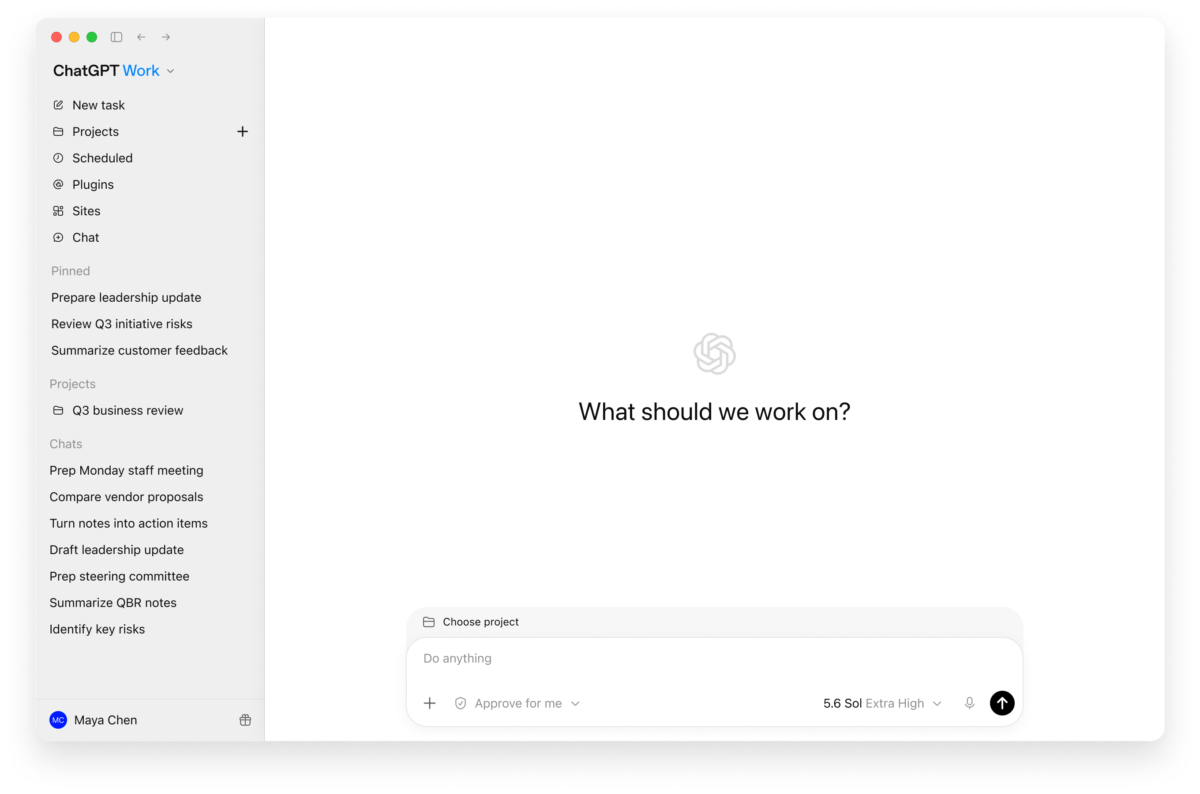
OpenAI’s earlier ChatGPT Work interface example. The screenshot predates Terra and shows GPT-5.6 Sol selected. Image: OpenAI
Look under Advanced, and check your Codex CLI version.
OpenAI’s model-selection instructions say to open the control beneath the composer, choose Advanced and select GPT-6.1 Terra from the available models. The Power slider’s presets are not a complete list of every model you can select.
For the command-line version of Codex, OpenAI specifies version 0.159.0 or later. Check the installed version with codex --version, then launch a session with codex -m gpt-6.1-terra. In an existing interactive session, /model opens the model and reasoning controls.
If Terra is still absent in a managed workspace, check with its administrator. OpenAI’s workspace guidance explains that availability depends on the particular client, signed-in identity, seat, role and enforced requirements. A saved default selects a model; it does not grant permission to use one.
API-key authentication has a separate boundary: access follows the API organisation and project associated with the key. An enabled model in a ChatGPT workspace does not automatically establish access through every other product or sign-in method.
Terra is aimed at writing, visual tasks and computer use.
In its model-selection guide, OpenAI positions Terra for concise writing from supplied material, tasks performed through application screens and focused code fixes. The practical examples are work with a defined outcome, rather than an assumption that the newest model is the best choice for every job.
OpenAI recommends comparing Terra with GPT-6.1 Sol using the same inputs and reasoning effort. For writing, its suggested checks include accuracy, audience fit, voice and useful detail. For computer use, check the actual saved result as well as the assistant’s completion report.
Sol remains a separate option for complex work where cost matters. MIXED previously covered its API pricing and cached-input changes.
API access has its own model name and pricing.
Developers should use gpt-6.1-terra. The official API model page lists a 1,050,000-token context window and a maximum output of 128,000 tokens, with text and image inputs and text output.
Standard text-token prices are $1 per million input tokens, $0.05 per million cached input tokens and $5 per million output tokens. Requests with more than 272,000 input tokens have higher rates; Fast mode, regional processing and tool use can also change the bill. These are API charges, not a monthly ChatGPT subscription price.
Tool calling requires the Responses API. The API supports reasoning effort from none through max, with medium as the default. App controls and plan access should be checked separately rather than inferred from the API specification.

