
Gemini in Google Sheets reaches iPhone and iPad with summaries and static charts
Google Sheets users on iPhone and iPad are getting Gemini tools for summarising tables, finding patterns and creating charts without moving to a computer. The rollout brings the assistant into the iOS app, following its availability on the web and Android.
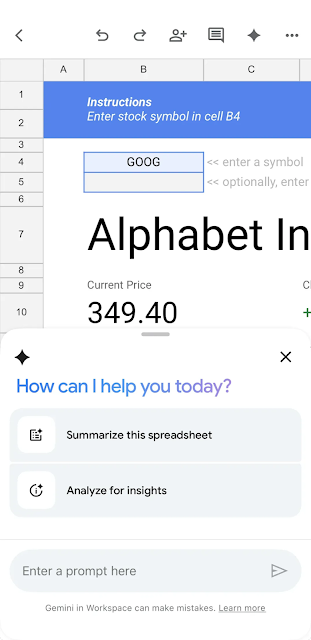
Google’s iOS example shows Gemini alongside a finance tracker. Image: Google
Google announced the iOS expansion on October 19. Distribution began October 15 and can take up to 15 days, so eligible accounts may receive it at different times.
You can ask questions about the sheet you have open.
Open a compatible spreadsheet and tap the Gemini spark icon. Suggested prompts include summarising the spreadsheet or analysing it for insights, and you can follow up with more specific questions.
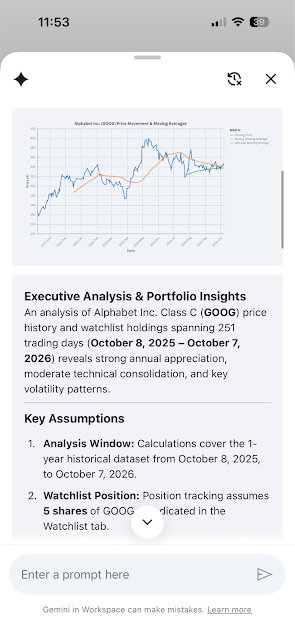
The iOS assistant can respond to questions about the active spreadsheet tab. Image: Google
The iOS help instructions make the scope clear: analysis uses the active tab, not every tab in the workbook. Gemini is not available on timeline-view tabs. Native Sheets documents work best; an Excel document can be saved as a Google Sheets file from the Share and export menu.
For someone reviewing an expense tracker on the train, a summary or a comparison of categories can be more convenient than scanning individual rows. The figures still need to be checked against the underlying table.
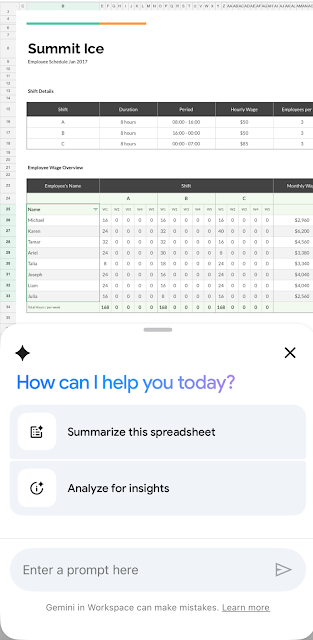
Google also demonstrates the mobile assistant with an employee tracker. Image: Google
The mobile assistant cannot edit cells or create live charts.
Editing and formatting requests are not supported on iPhone or iPad. Creating pivot tables, adding rows and formatting cells through Gemini remain computer features.
Charts produced in the mobile side panel are static images. They can be saved to Drive, but they do not update when the source data changes. A chart made before a new set of figures arrives therefore needs to be generated again.
The supported plans include Business Starter, Standard and Plus; Enterprise Starter, Standard and Plus; AI Pro for Education; and Google AI Plus, Pro and Ultra. Organizations must also enable Gemini access.
It provides a more focused spreadsheet workflow alongside Gemini’s broader business tools for working with finance material: open the relevant tab, ask the question and inspect the answer before using it.

