
Discord adds an opt-out before some public server messages reach web search
Discord is rolling out privacy controls before messages from some public communities become searchable on the web. Individual messages start rolling out in mid-December. Every Discoverable Server gets a web page from November 16, when conversation summaries may also start appearing.
The change covers public channels in Discoverable Servers, communities listed in Discord's server directory that anyone can join. Discord says private servers, direct messages and group DMs are excluded.
For gaming communities, the aim is to make answers about builds, strategies and boss fights easier to find without first joining a server. Discord has piloted web messages with communities including Rust and Dead by Daylight, using posts from admins and moderators.
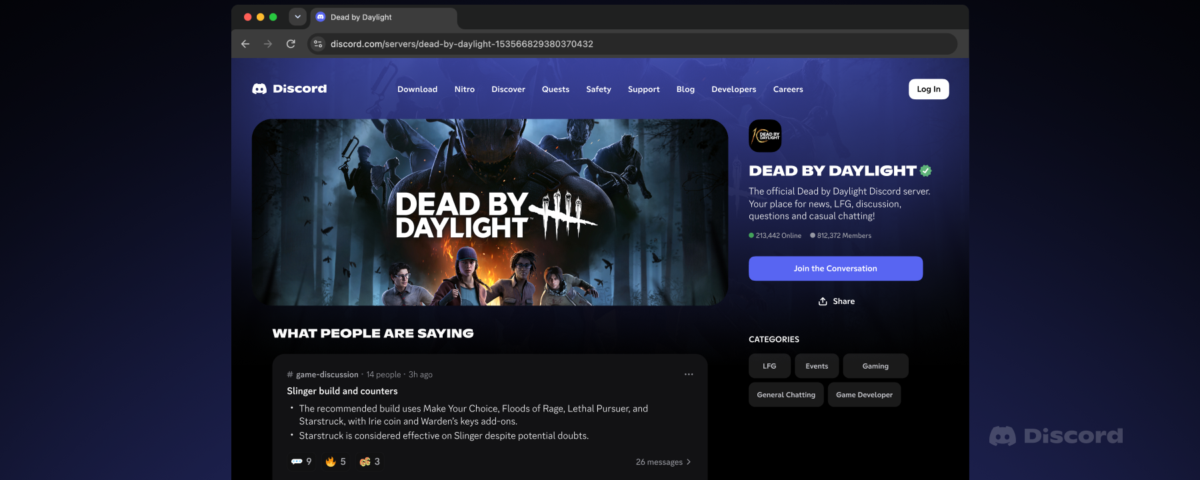
Discord illustrates the new server pages with Dead by Daylight. Image: Discord
You can opt out before sending messages in eligible channels
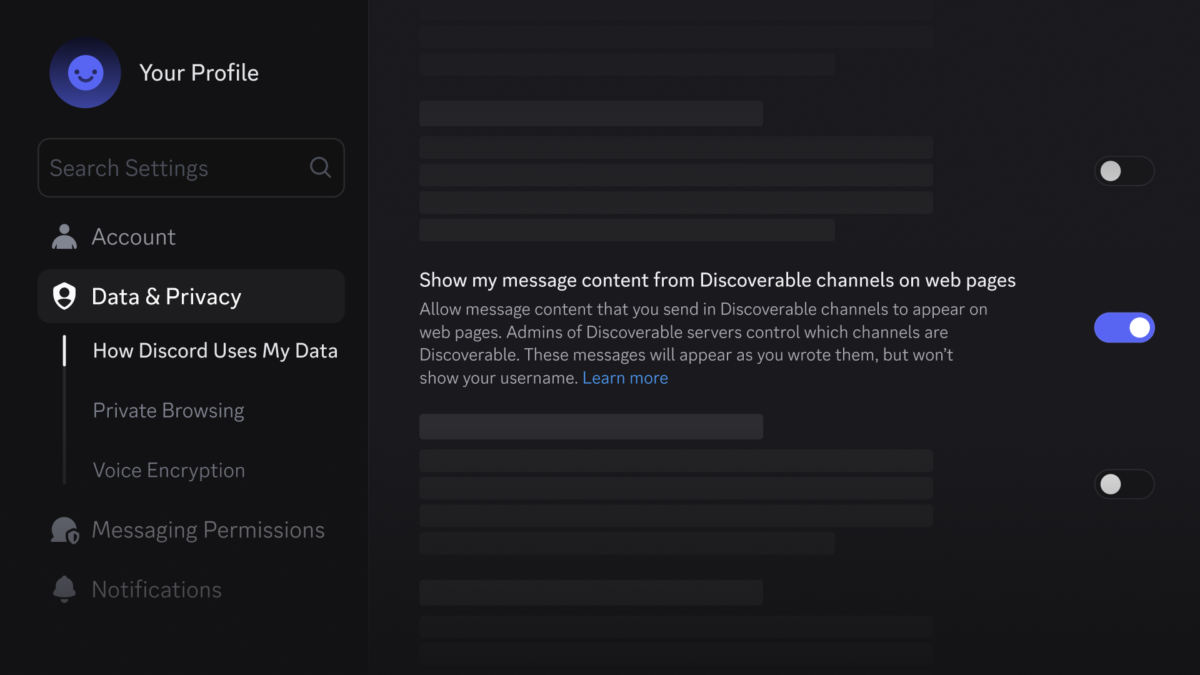
The account-wide message control is in User Settings > Data & Privacy on desktop or browser. Turn off “Show my message content from Discoverable channels on web pages” to exclude future messages across your servers, including those sent on mobile.
It defaults to off in the EU/EEA, UK, Canada, Brazil, Australia and South Korea, and on in most other regions. Teen accounts are excluded and cannot enable it.
Switching it off later does not withdraw messages sent while it was on, even if they have not appeared online yet. Delete an individual message to remove it from Discord's web pages; search-engine copies may take longer to disappear.
Messages from before the mid-December rollout are excluded. Usernames and avatars will not appear alongside the web messages, and eligible channels will carry a label.
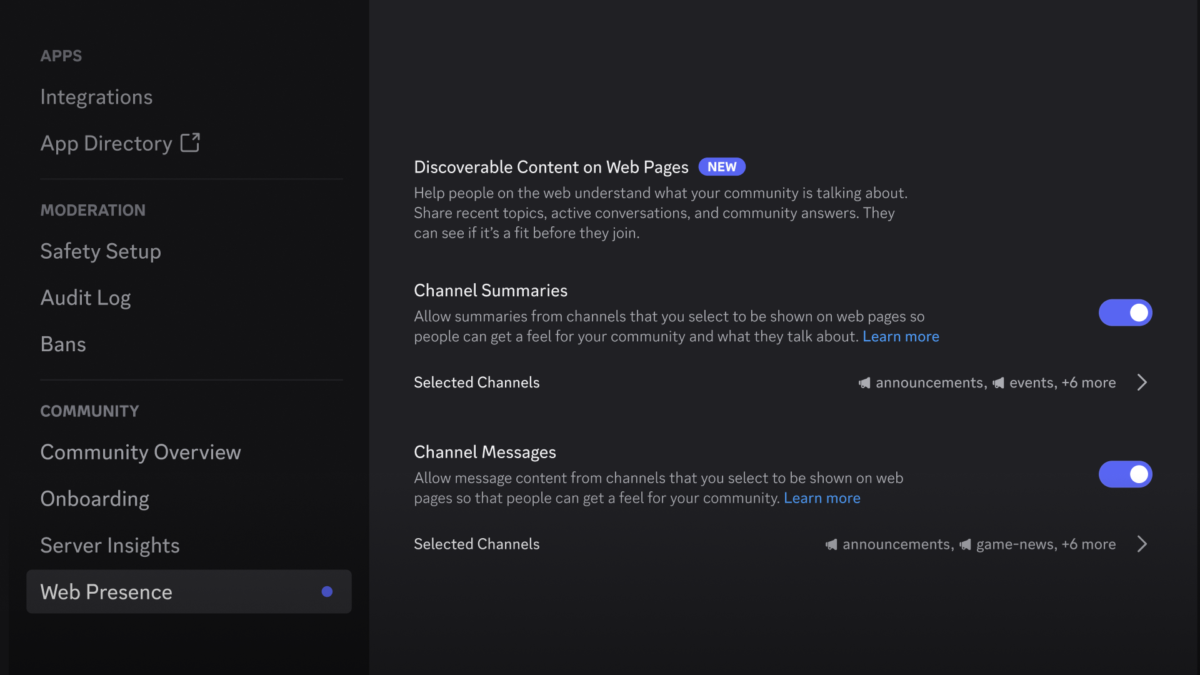
Server administrators choose which channels contribute messages and summaries. Image: Discord
Server admins control AI summaries separately from individual messages
Server Settings > Community > Web Presence gives owners and administrators separate controls for channel summaries and messages. Both are on by default for eligible public channels, with channel-by-channel selection. Role-restricted channels are excluded.
Discord uses AI to summarise recent public discussions and warns that summaries may be inaccurate. These cover discussions from November 16 onwards. Your personal message opt-out does not disable those summaries; server admins control them.
Turning off both features stops new content, but does not automatically remove everything already published. The server's web page also remains live while the server is Discoverable. Removing that page requires switching the server back to Community status.

