
ChatGPT Voice now uses your plugins, but you must approve actions on screen

ChatGPT Voice can now reach the plugins and connected apps already attached to your account, on web, iOS and Android, according to OpenAI's release notes dated September 23. Approval still happens on screen: OpenAI's ChatGPT Voice help page says Voice prompts you to review an action on screen when it needs your approval, and that spoken approval is not supported.
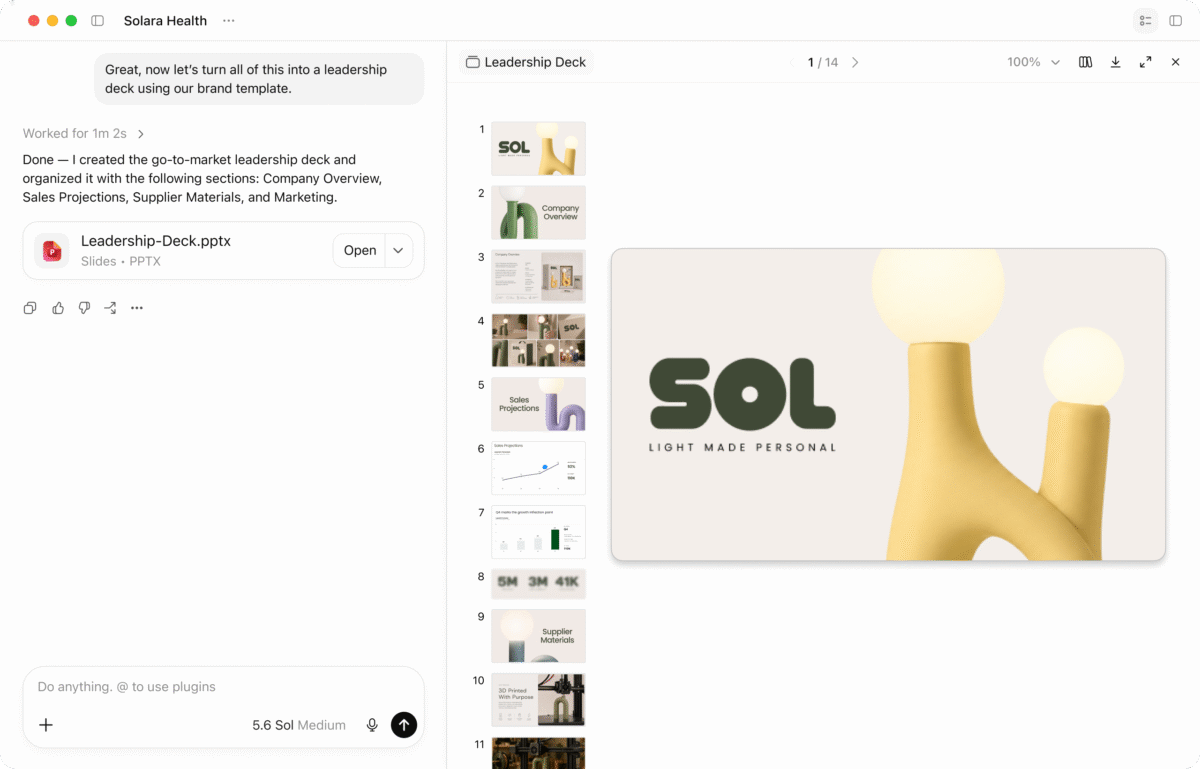
ChatGPT Work can build documents, presentations and spreadsheets, and OpenAI says Voice in Work can now be asked to do the same. Image: OpenAI
“Live now supports plugins on web, iOS, and Android,” the notes say. “You can use the plugins and connected apps available to your account during a Voice conversation and follow written responses in the chat.”
Live is one of three Voice options OpenAI lists in settings, alongside Advanced and Standard, and it is the one that can listen and speak at the same time. Live is also the option that gained plugins. Advanced is still the one to use for video or screen sharing, and Standard transcribes your speech before it answers.
The plumbing does not change. Existing app connections, permissions and usage limits still apply, OpenAI says, you may need to connect an app and sign in before Live can use it, and workspace restrictions carry over untouched. Plugins are also where OpenAI is steering people as it retires custom GPTs in favour of them, and it widened plugin access earlier in September by letting every plan connect work and personal accounts.
Voice arrives in ChatGPT Work on web and mobile
Voice is also available in ChatGPT Work on web and mobile. OpenAI says you can ask it to create documents, presentations and spreadsheets, use connected apps, or work in a browser.
Hang up and the job carries on. “When you end a Voice call in Work, an unfinished task can continue in text,” the notes say, which is the useful part for anything slower than a phone call.
Access splits by plan. Free and Go users can use Voice in Chat with the plugins their plan supports, while Voice in Work requires both Voice and Work access, so a workspace with only one of the two gets nothing new here.
Your plan decides how long Live keeps listening
Live time is metered, and OpenAI counts it in Chat over a rolling 24-hour period. Free accounts get limited access to GPT-Live-1 mini, Go gets three hours of the mini model, and Plus gets three hours of the full GPT-Live-1.
Above that, Pro at $100 per month gets 15 hours and Pro at $200 per month is uncapped. Business Standard gets three hours and then charges 1.25 credits per minute, with Business Premium on 15 hours and the same overage rate.
Work tasks started by voice also count towards normal Work usage, exactly as they do when you type them.
Live still cannot see your screen
Plugins are in, video is not. OpenAI says Live does not support video or screen sharing, and that both remain on the older Advanced option in the iOS and Android apps for eligible subscribers.
There is one more gap. Live cannot currently find or add files from your ChatGPT Library, so a document you want it to work on has to be attached to the chat by hand, if your account allows attachments at all.
Talking to ChatGPT can start the job, then, but finishing one still means looking at the screen.

